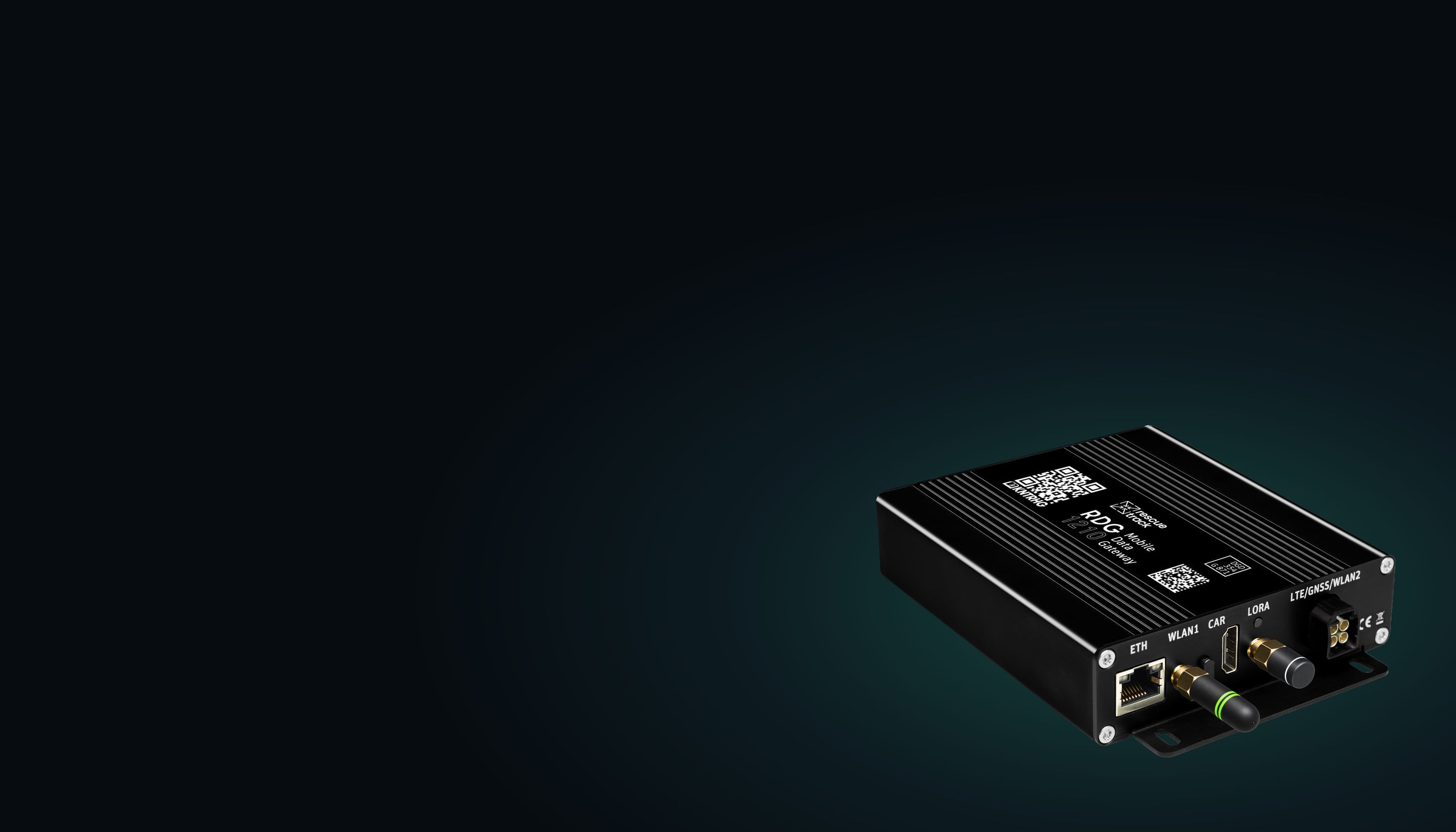
Vehicle SystemRDG1210, RND1210 and RCR1010
Incident and navigation appear on the multimedia display already in the vehicle. The RDG1210 gateway connects it to rescuetrack; the RCR1010 reads the health insurance card.
Our view
What the vehicle already has, we do not install a second time.
01
Incident and route on the vehicle's screen
Via USB-C, incident and navigation appear on the screen that is in the vehicle anyway.
If the vehicle cannot be connected, there are two other ways: a built-in touchscreen via HDMI or the RND1210 navigation device.
02
One device for everything in the vehicle
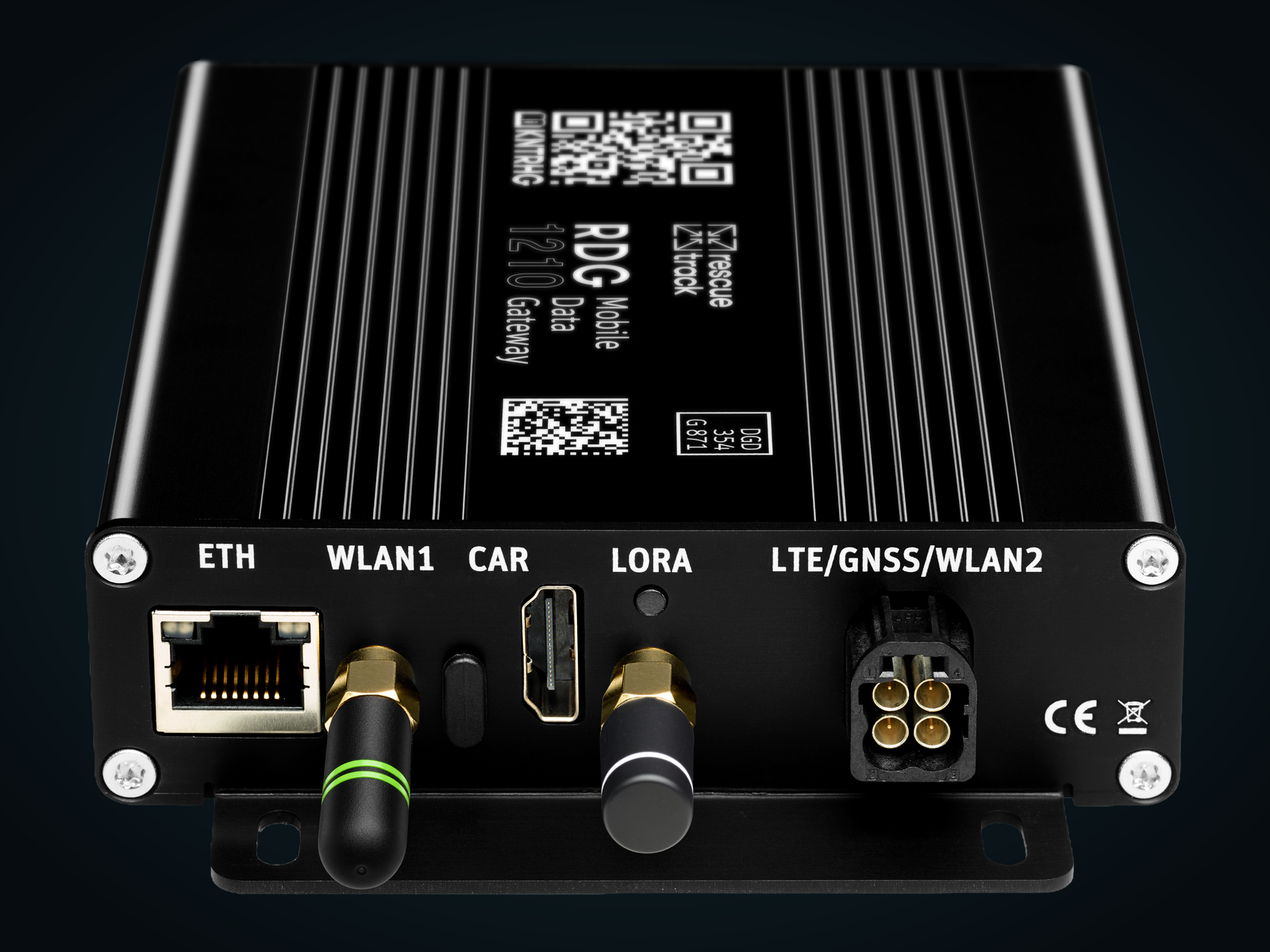
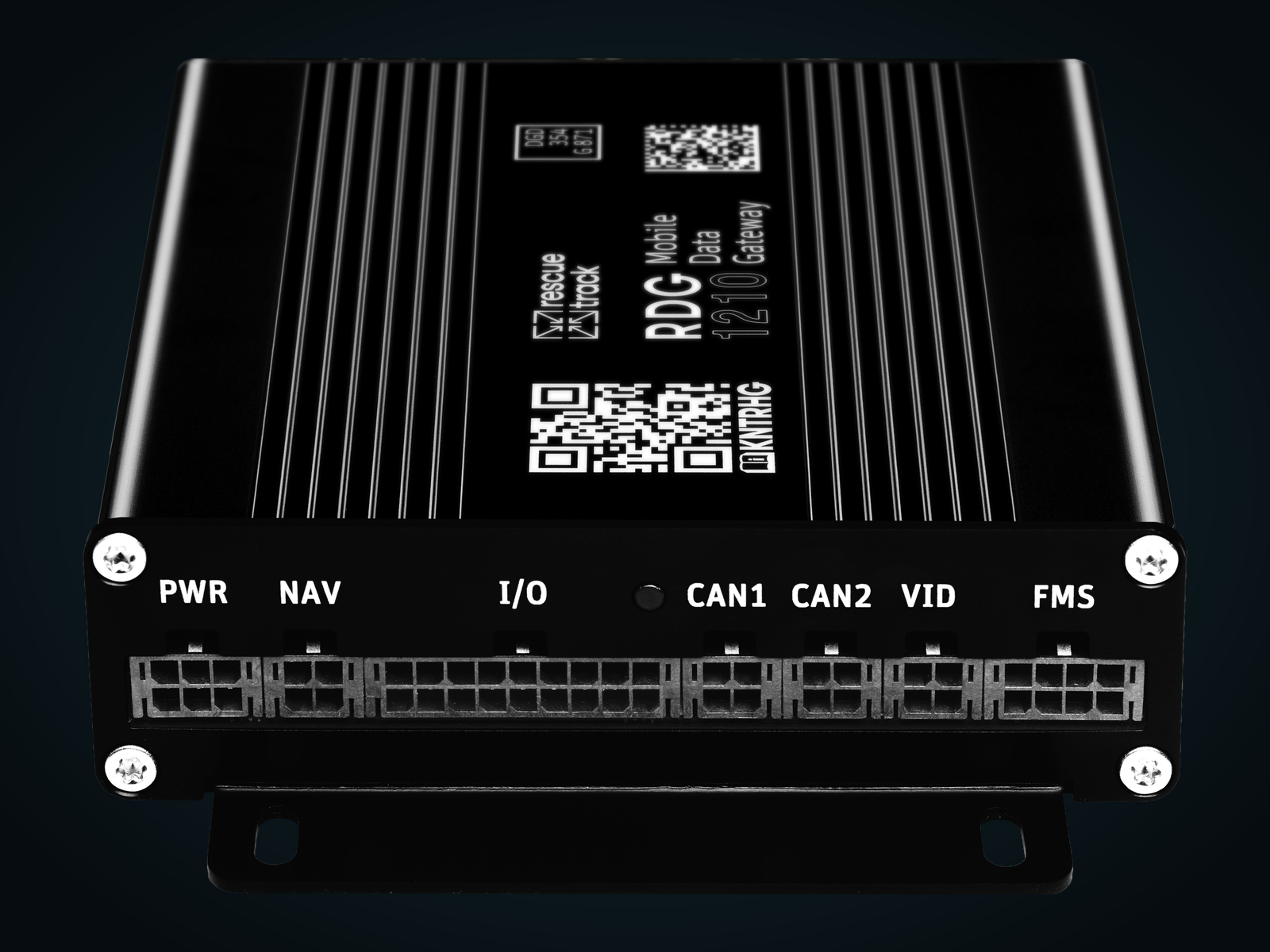
Mobile network, positioning, Wi-Fi, digital radio, status messages, vehicle data, cameras and display: the RDG1210 vehicle data gateway connects everything in the vehicle to rescuetrack.
Monitor, printer or medical devices are added via Ethernet.
03
Where nothing can be connected: the RND1210
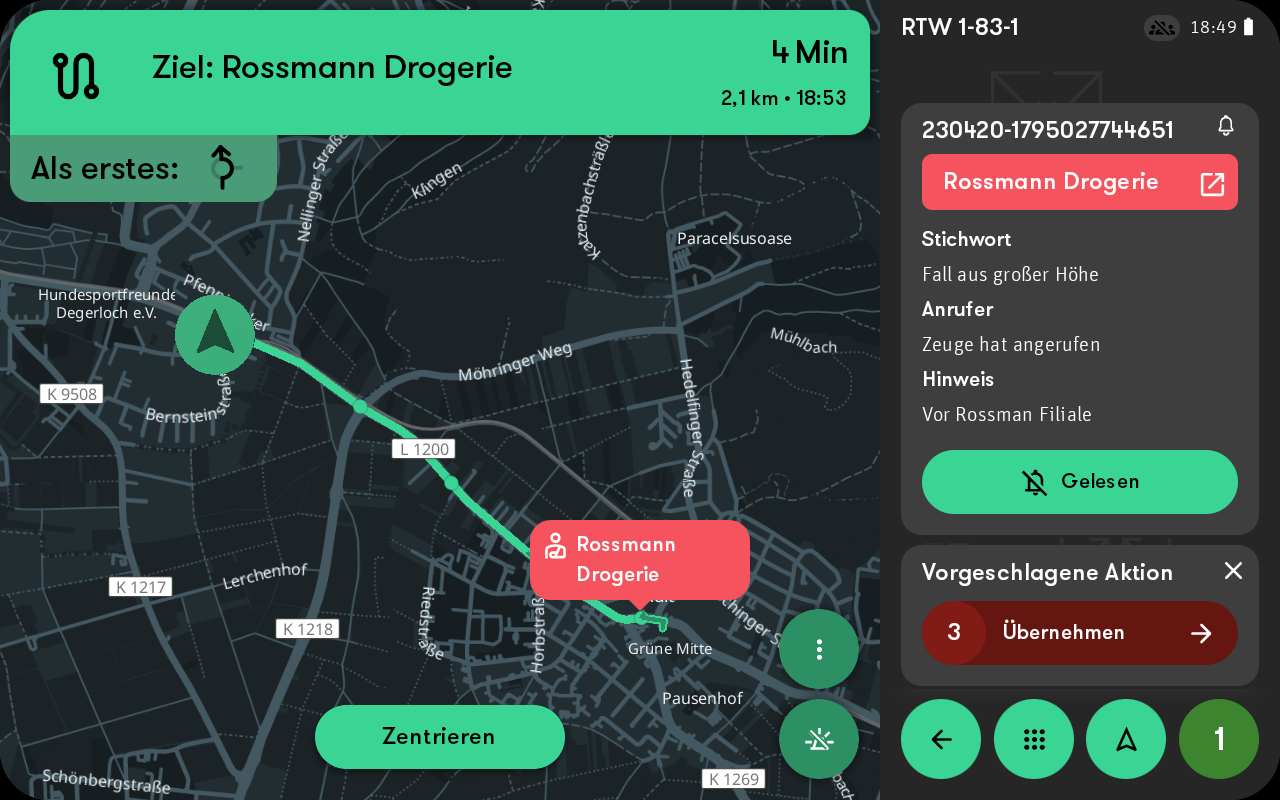
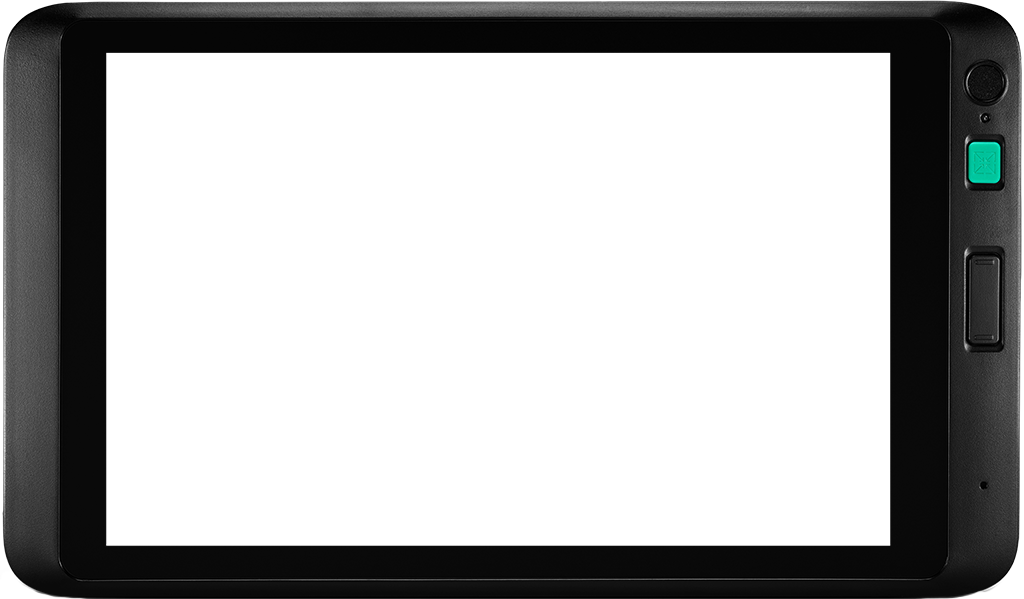
On the left the navigation with emergency driving exemptions, on the right the incident: address, keyword, notes. The device suggests what to do next, such as the next status.
The RND1210 talks to the RDG1210 via Wi-Fi.
04
Navigation with emergency driving exemptions
One switch, and the navigation drives with emergency driving exemptions: bus lanes, bus gates, emergency crossovers. It calculates with Bluelight Routing, including the road closures from the dispatch centre.
An emergency vehicle may ignore a prohibition sign, but not a bridge that is too low. The navigation knows the height, width and weight of the vehicle, from the emergency ambulance to the fire engine, and avoids what does not fit.
05
Two emergency vehicles, one junction
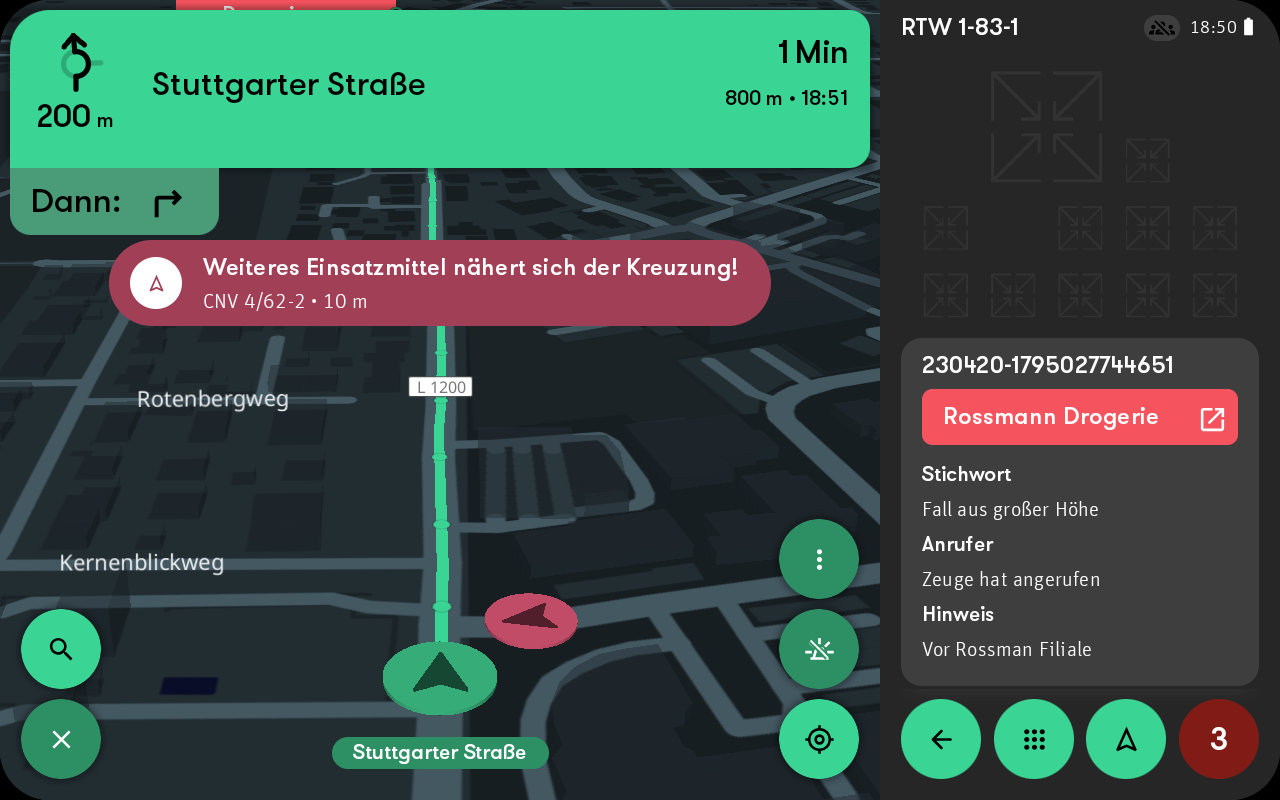
If another emergency vehicle approaches the same junction, the navigation warns with call sign and distance. The other vehicle is shown on the map.
06
Status that sets itself
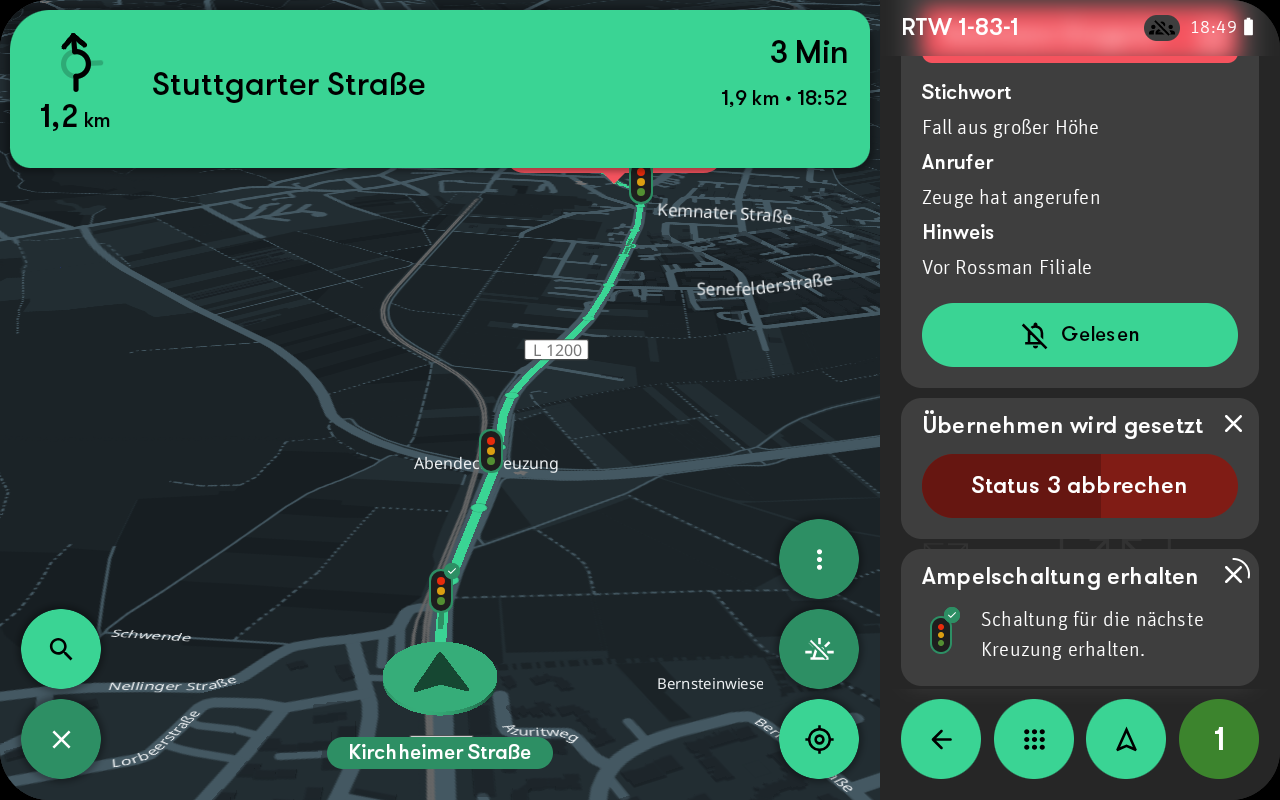
Arrival at the scene, transport, arrival at the hospital: the status is suggested or set automatically in several stages. The patient is announced to the destination hospital straight from the vehicle.
07
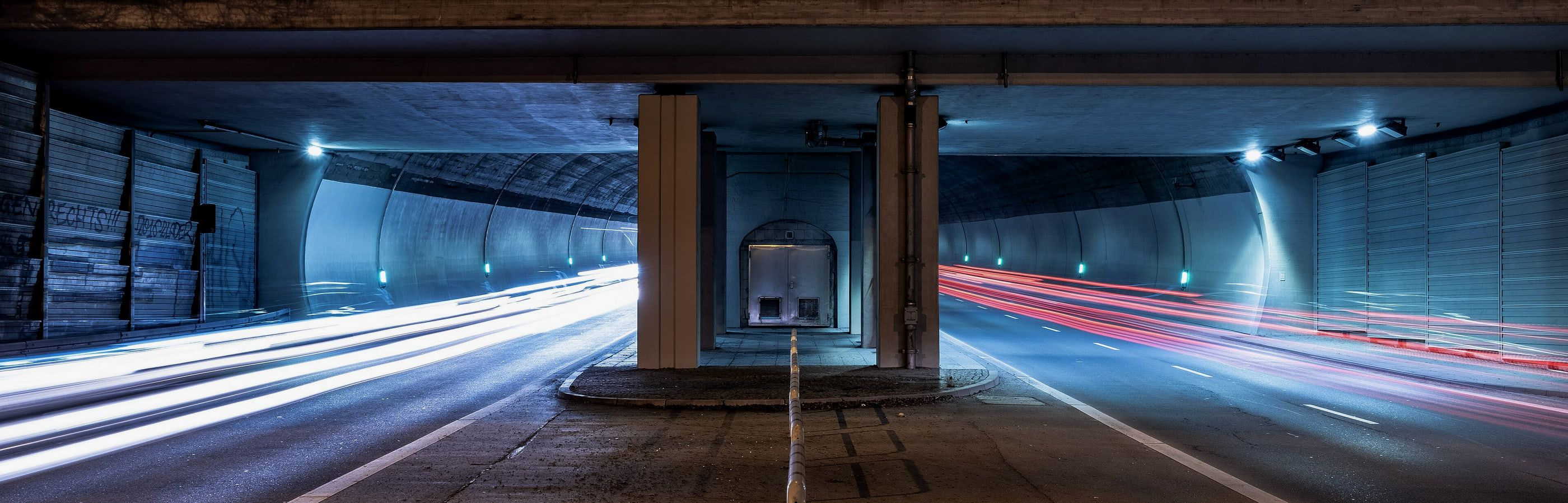
Position in the tunnel too
In a tunnel, satellite reception drops out. The RDG1210 keeps calculating the position from speed and direction.
Dispatch centre and navigation know where the vehicle is even in the tunnel, and the exit is announced in time.
08
Keeps transmitting when a network fails
The gateway holds two SIM cards for two mobile networks. If the mobile network fails completely, the gateway keeps transmitting via digital radio (TETRA) or via LoRaWAN. The incident then also reaches the vehicle via TETRA.
The map of the region in which the vehicle is travelling is stored automatically. If the network fails, it stays available.
09
Read the insurance card instead of typing it in
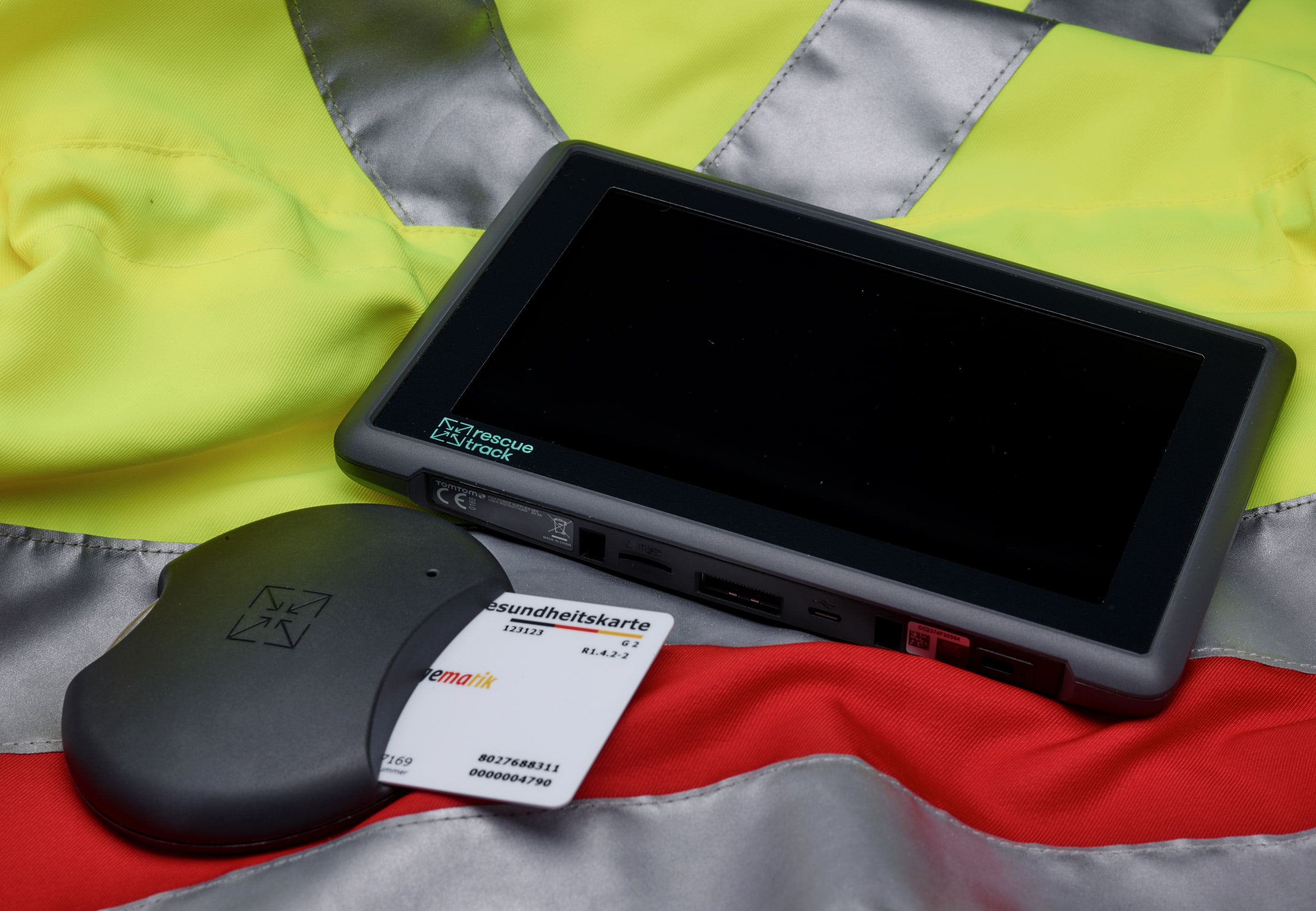
The RCR1010 card reader sends the data of the health insurance card (eGK) wirelessly and encrypted to the RND1210 or the rescuetrack App. It ends up in the incident record and goes into billing as TXT, XML or CSV.
Pairing uses a security card, and every pairing creates a new key. All cards of the shift remain available, for example for the return journey after outpatient treatment.
10
Fits where its predecessor sat
Same dimensions, same hole pattern: the RDG1210 sits where the RDG1110 is mounted today. Existing cables and antenna stay, two adapters connect them.
11
What comes next
V2X. A radio module in the gateway talks directly to traffic signals, without a detour via the mobile network. It is in pilot; the first field tests are running.
Your own applications. A Docker environment in the gateway takes extensions.
Equipment
01
Always included
The gateway, power and one of the two antennas. Those switching from the RDG1110 keep cable and antenna and need two adapters.
RDG1210
Vehicle data gateway: mobile network, positioning, Wi-Fi, radio, vehicle data and display.
Power supply
Connection between gateway and vehicle.
Part no. 40.0260.0252
Screw-mount roof antenna
Mobile network (LTE, MIMO) and GNSS in one antenna by Hirschmann, for the vehicle roof. With 5 m cable.
Part no. 41.0260.0103
Adhesive window antenna
Mobile network and GNSS in one antenna by Hirschmann, for the vehicle window. With 5 m cable.
Part no. 41.0260.0100
02
Display
Usually the vehicle's screen via USB-C. A touchscreen via HDMI or the RND1210 only where the vehicle cannot be connected.
Vehicle's screen
Via USB-C on the gateway. No additional device.
Touchscreen
Built in, via HDMI on the gateway.
RND1210
Navigation device with incident data, connected to the gateway via Wi-Fi.
Vehicle mount
Robust universal mount for the navigation device.
Part no. 40.0260.0456
Terminal connection cable
Connects the gateway to the power adapter of the navigation device.
Part no. 40.0260.0294
Power adapter
Connects the terminal connection cable to the navigation device.
Part no. 40.0260.0297
Video input cable
Shows a reversing camera on the navigation device.
Part no. 40.0260.0468
03
Depending on the vehicle
Radio, vehicle data, inputs and outputs and the card reader.
PEI adapter for Sepura MRT
Connects the PEI interface of a Sepura MRT digital radio to the gateway.
Part no. 40.0260.0270
PEI adapter for Motorola MRT and Sepura HRT
For Motorola and Sepura HRT digital radios with active cradle.
Part no. 40.0260.0273
FMS cable
Connects an analogue radio to the gateway.
Part no. 40.0260.0250
CAN FMS cable
For the vehicle's CAN FMS interface: mileage and fuel level.
Part no. 40.0260.0268
Input/output cable
For the inputs and outputs, with open end.
Part no. 40.0260.0254
RCR1010
Card reader for the health insurance card, wireless to RND1210 or rescuetrack App.
Part no. 40.0260.0460
Security card
For pairing the card reader.
Part no. 40.0260.0461
Technical data
RDG1210
- Mobile network
- 2× LTE, upgradable to 5G; two SIM cards, networks of the EU and Switzerland
- Positioning
- GNSS at 50 Hz, dead reckoning
- Wi-Fi
- For navigation device, tablets and station
- Radio
- TETRA digital radio via PEI, analogue radio via FMS
- Vehicle
- 2× CAN, FMS-CAN, CiA 447, video
- Inputs and outputs
- 14 analogue/digital, 4 outputs
- Display
- Vehicle's screen via USB-C; HDMI
- Network
- Ethernet
- Ports
- ETH, WLAN1, CAR, LORA, LTE/GNSS/WLAN2; PWR, NAV, I/O, CAN1, CAN2, VID, FMS
- Start-up
- Cold start under 35 s, two boot partitions
- Security
- Hardware security module
- Applications
- REST API
- Voltage
- 12 V and 24 V
- Installation
- Dimensions and hole pattern as RDG1110
RND1210
- Connection
- Wi-Fi to the RDG1210
- Maps
- Updates via Wi-Fi at the station; the region driven is stored offline automatically
- Card reader
- RCR1010, wireless
RCR1010
- Article number
- 40.0260.0460
- Connection
- Wireless and encrypted, to RND1210 or rescuetrack App
- Pairing
- With security card 40.0260.0461, new key at every pairing
- Reads
- Approx. 20,000, maintenance-free
- Power
- No charging, no battery change over its service life
- Housing
- Robust, with sealing lip
- Updates
- Firmware via the rescuetrack App
See Vehicle System in action.
We show it to you in your own area. With your stations, your roads, your response times.